The Ultimate Guide to Creating Engaging YouTube Shorts
Published on 05.05.2023 by Sofia Novak
YouTube Shorts is a new way for creators to showcase their creativity and engage with audiences in short, bite-sized clips. Similar to TikTok and Instagram Reels, Shorts are vertical videos that can last up to three minutes and are designed to be easily discoverable. With its expansive user base and high engagement rates, YouTube has the potential to be a major player in the short-form video space. The platform has already experienced a surge in popularity in countries like India where Shorts has been tested and rolled out. Creators can take advantage of the Shorts camera to film and edit their videos, or upload pre-existing content. With YouTube Shorts, creators have yet another opportunity to share their message and connect with a global audience. Shorts are also a common way to win subscribers, and if you'd like a few more for a new channel, a subscriber pack for YouTube is available from us.
What is “YouTube Shorts”
YouTube Shorts are vertical videos that are up to three minutes long and are designed to be easy to discover and engage with. Creators can film new footage using the Shorts camera or upload existing content to create something new. With an intuitive editing suite, creators can quickly and easily add music, text, and other creative features to elevate their content and bring it to life.
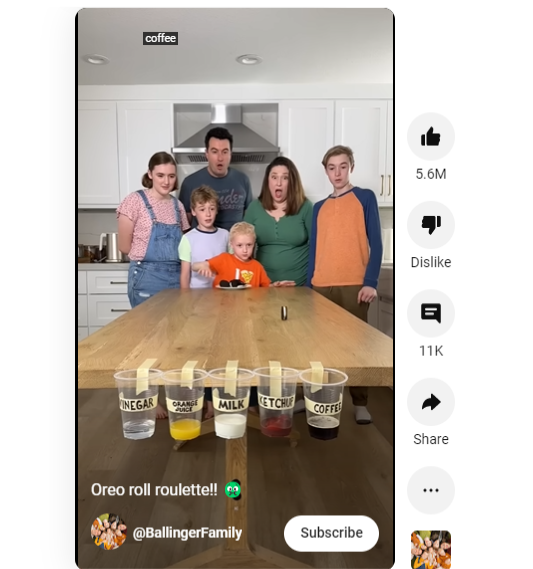
Key features of YouTube shorts
One of the key features of YouTube Shorts is its accessibility. With a dedicated Shorts carousel on the YouTube homepage, content creators can reach millions of people with just a few taps. The Shorts camera is also designed to be simple and easy to use, allowing anyone to quickly create high-quality content. Additionally, the YouTube Shorts music library integrates licensed tracks from popular artists, making it easy for creators to add music to their videos without the worry of copyright infringement.
How to make your first Short
Using YouTube Shorts is simple. Creators can access the Shorts camera by tapping the + icon at the bottom of the screen. Once in the camera, they can record footage, add music and effects, and share their content with the world. To access and consume Shorts content, viewers can simply swipe up on any Shorts video in the YouTube app. YouTube Shorts is an exciting new feature that brings a new level of creativity and accessibility to the YouTube platform. With its intuitive editing tools, vast music library, and extensive reach, YouTube Shorts has the potential to be a major player in the short-form video game. So why not give it a try? Make some killer YouTube Shorts and see where your creativity can take you!
Making Shorts on YouTube is a fun and creative way to produce short-form videos that are easy to consume and engage with. Here is a step-by-step guide on how to make Shorts on YouTube:
- Open the YouTube app, tap the + icon at the bottom of the screen and choose Short.
- Record your video by holding down the capture button or record multiple clips by tapping the button multiple times.
- Add creative elements such as music, text, and filters to your video using the editing tools available.
- Preview your Shorts video and make any necessary adjustments.
- Publish your Shorts video by clicking the checkmark icon.
- Promote your Shorts video on social media and engage with your audience to increase visibility.
- Monitor your Shorts video performance in the YouTube Studio app and make data-driven decisions to improve future content.
YouTube Shorts requirements
We have compiled everything you need to know about YouTube Shorts requirements:
- Time-length: YouTube Shorts can be up to three minutes long. YouTube raised the limit from 60 seconds in October 2024.
- Dimension: Shorts need to be recorded and uploaded in vertical format, with a minimum aspect ratio of 9:16 and a maximum aspect ratio of 1:1.50
- Platform to create: You can create YouTube Shorts using the Shorts camera feature within the YouTube app. You can also use video editing software to create Shorts and upload them to your YouTube channel.
- Content guidelines: Shorts on YouTube must adhere to content guidelines and policies. This includes avoiding explicit language and content, copyright infringement, and other inappropriate content.
- Music requirements: You can include music in your Shorts, but it must be royalty-free or licensed. YouTube offers a vast library of licensed music available to use in Shorts.
Creating YouTube Shorts is a flexible and fun way to showcase your creativity and engage with audiences in short-form video content. By following the specifications and content guidelines, you can produce engaging and exciting Shorts that connect with viewers on the platform.