Engage Fans Using YouTube Community Tab
Published on 21.01.2025 by Taylor Fleming
Be it seasoned content creators, budding vloggers, or someone just getting started with video content, YouTube is the platform of choice for most!
As a creator, you may always be on the lookout for new ways to connect with your audience, boost engagement, and grow your channel. In this regard, you might be familiar with YouTube's features, like the comments section, live streams, and the occasional shout-outs in your videos. However, there is one feature that does not get as much attention—the YouTube Community tab!
If you have not already explored and used the Community Tab, now is the time! This feature is a hidden gem that offers you an easy way to connect with your fans in a more interactive and personal way. In this post, we will guide you on how you can use the YouTube Community Tab to keep your audience engaged, create conversations, and build a loyal fan base. So, let’s get started!
What is the YouTube Community Tab?
The YouTube Community Tab is a feature that allows you to post updates, images, videos, polls, and even GIFs directly to your channel's audience outside of your regular video uploads. This feature is a great way to keep your audience involved and updated on your channel's activities without having to upload a full video. To put it simply, it is just like a mix of Facebook and Twitter updates, but within the YouTube space. Posts there collect likes the same way videos do, and for the videos themselves we also sell likes on YouTube.
The best thing about the Community Tab is that it is not just for large YouTubers anymore. In the beginning only bigger channels had it, but today every channel with advanced features can post there, no matter how many subscribers it has. On many channels YouTube now calls it the Posts tab, but it works the same way.
Now that you know what the Community Tab is, let’s talk about why it can be a beneficial part of your YouTube growth strategy. Whether you are a massive channel or have just started, using the Community Tab feature can be quite helpful. Continue reading to learn more!
Why Should You Use YouTube Community Tab?
YouTube’s algorithm is known to give priority to videos with more engagement, but it does not always give a chance to creators to build meaningful and consistent relationships with their audience.
With the Community Tab, you have the opportunity to engage with your viewers directly in between your video uploads. Moreover, it helps you increase engagement, keeps your content fresh, and builds loyalty by giving your audience a glimpse into your processes, how you do things, updates, ideas, etc.
So, if you want to grow your YouTube channel, it is important to use this tool to your advantage.
How to Access the YouTube Community Tab
As mentioned earlier, the Community Tab used to be a feature that only larger channels could access, but YouTube has since made it available to many creators, regardless of their size. Here is how you can access it:
- Firstly, you need to have advanced features enabled on your YouTube channel. This requires completing the phone verification process, which can be done easily through the YouTube Studio.
- Next, you need to verify your channel. YouTube may ask for additional verification depending on your account. This could include ID verification or even video verification, particularly if you are a relatively newer creator. It is overall a pretty basic process and once you are verified, the Community Tab will be available for your use.
- Once you have gotten access to the Community Tab, you can start posting. You can access the tab directly through YouTube Studio. Simply click on the Create Post option and you are good to go.
It is also a good idea to introduce your Community Tab to your channel's audience through a video. You can share the video's link on your Community Tab so that first-time visitors to the tab know how they can interact with your channel.
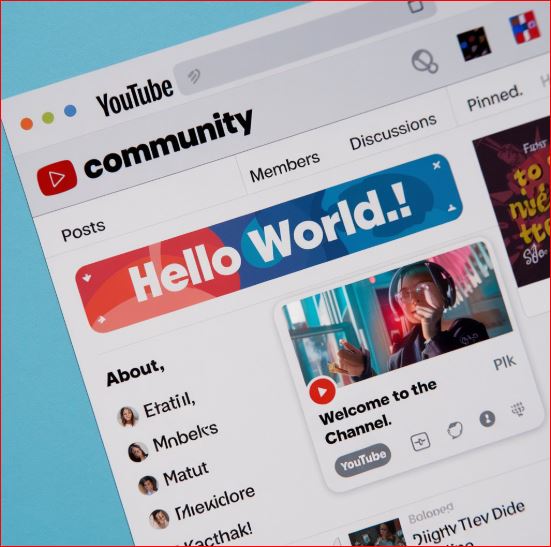
Ways to Effectively Use the Community Tab
In this section, we will be talking about how you can make the most out of your Community Tab. Here are some creative and effective ways to use the Community Tab to engage with your fans and followers and keep them coming back for more:
Throw Hints About Upcoming Content
One of the best ways to use the Community Tab is to build anticipation for your upcoming videos. Instead of waiting for your video to go live, why not give your fans a little sneak peek? For this purpose, you can share a teaser image, a clip, or even a fun fact about the upcoming content. You can even ask your followers to guess what your next video will be about. It is an effective way to get them involved and excited. For a big release, a YouTube Premiere can build on that excitement.
For instance, let’s say you are about to release a travel vlog. You could post an image of a beautiful destination and ask your followers where they think you are going next. Questions and hints like these can keep your audience engaged and eager to see the full video.
Engage with Polls and Quizzes
Another great feature of the Community Tab is the ability to post polls and quizzes. Polls are a fun way to involve your audience in decision-making. They perform pretty well on other platforms like Instagram and can do the same on YouTube.
You can ask your audience’s opinion on content ideas, ask them to vote on what they want to see next, or even make some light-hearted and fun polls related to your content.
For instance, if you run a gaming channel, you could run a poll asking your audience which game they would like to see you play next. If you are a beauty content creator, you could ask your followers which makeup look they would like you to try next. This way you can engage your audience and get insights into what form of content they like most. It is a win-win scenario!
Share Older Content Again
The Community Tab is also a great way to breathe new life into older content. If you have uploaded videos that performed well in the past, you can always repost them on the Community Tab. This can help remind your fans about them and also introduce your new followers to your classic hits that hit the mark the first time.
You could also create a Throwback Thursday or similar tradition where you post older content once a week or so. This keeps your content fresh and gives your audience something new they may like to revisit.
Share Exclusive Content
People love getting an inside look into a creator's process or seeing things that never make it into the main videos. This can be a behind-the-scenes clip of your filming setup, a look at how you come up with new video ideas, or bloopers from past videos. Sharing this kind of content makes your audience feel more connected to you.
For instance, you can post a behind-the-scenes image of a new video in production and ask your followers what they think the new video will be about. This gives them something to look forward to and also reinforces a sense of community on your channel.
Acknowledge Your Fans and Collaborators
The Community Tab also lets you mention other YouTubers and fans. If you have collaborated with another creator or received positive feedback from a fan, consider giving them a shout-out in the Community Tab. You can tag them in a post, just like you would do on Twitter or Instagram, to develop a sense of community and reciprocity, which can then lead to more collaboration opportunities in the future.
Another idea is to feature a fan comment from one of your videos and say thank you. People love being recognized and appreciated and it may be helpful in keeping the audience engaged.
Engage in Conversations
As the name suggests, the purpose of the Community Tab is not just to post content but to have conversations as well. You can ask your viewers open-ended questions, comment on their responses, and create a dialogue. This helps to create a space where your viewers feel valued—not just as your followers but as an active part of your community.
For instance, if you are a lifestyle creator, you can post something like “What is that one habit you have developed this year that has changed your life?” or “What new year resolutions have you planned this year?” etc. Questions like these can help encourage engagement and lead to interesting discussions that your followers will enjoy and want to become a part of.
Post Regularly
Consistency on social media is very important, and when it comes to YouTube, the Community Tab makes it easy to keep in touch with your fans even when you are not uploading new videos. When you post regularly, you can keep your audiences engaged, and your channel stays relevant. However, take care not to go overboard—just post a quick poll, share a fun image, or a simple update every couple of days or so. This will help keep the audiences engaged between video uploads and ensure they stay connected to and interested in your content.
Final Thoughts
The YouTube Community Tab is one of those features that, once you start using it, you will wonder how you were running a channel without using it. It is an incredible way to garner engagement, increase your visibility, and build a loyal and engaged community around your channel. Whether the intent is to tease new content, ask fun questions, or just show some love for your fans, this tool can help you stay connected with your audience in a way that goes beyond your regular videos.
So, do not wait any longer to use the YouTube Community Tab feature! Head over to your YouTube Studio, unlock this feature, and start engaging with your audience like never before. Over time, it will become your strongest tool for building an even stronger connection with your fans.